


How to Buy XRPoodle Coin Safely and Securely
-
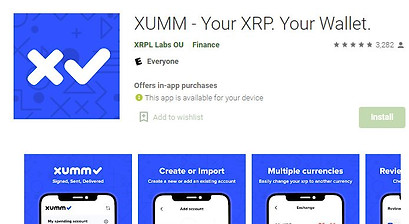
Download Xumm Wallet from app store and deposit enough XRP to trade for XRPoodle (12XRP held as wallet Reserve, 2 XRP held temporarily per trade until trade execution).
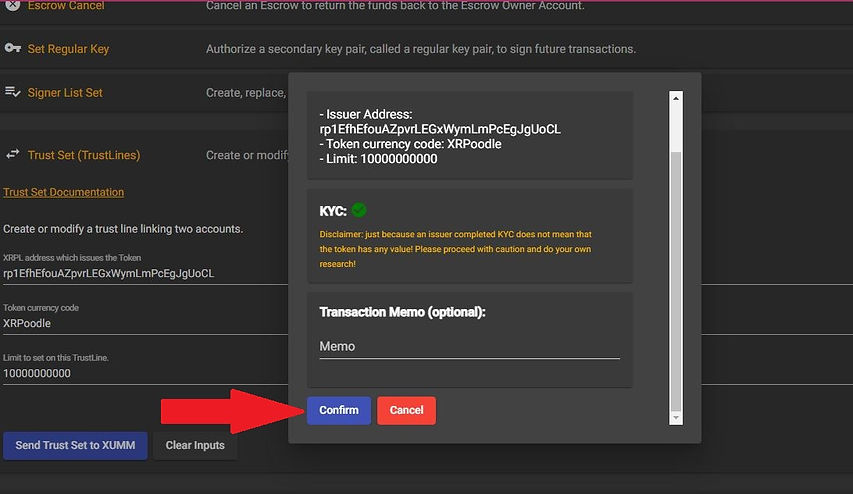
2. Add our trustline issuer code or through the following link button below through Xumm wallet:
https://xrpl.services/?issuer=rp1EfhEfouAZpvrLEGxWymLmPcEgJgUoCL¤cy=XRPoodle&limit=10000000000
> Click 'Confirm'
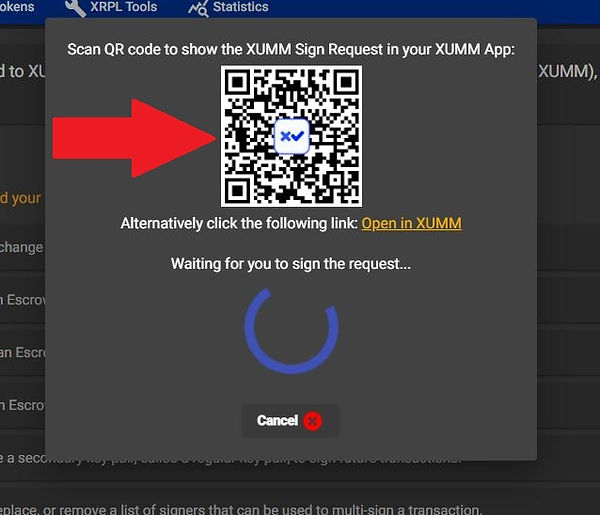
> Prompt Appears to Scan QR Code with Xumm
or paste the following link in your browser:
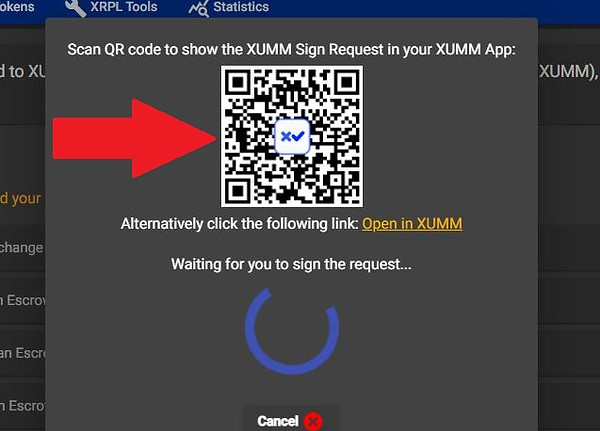
> Open Xumm App on your device if you are on a different device (or click the yellow Open in Xumm link if you are on the same device.

> Click on Xumm Button located bottom center of homepage
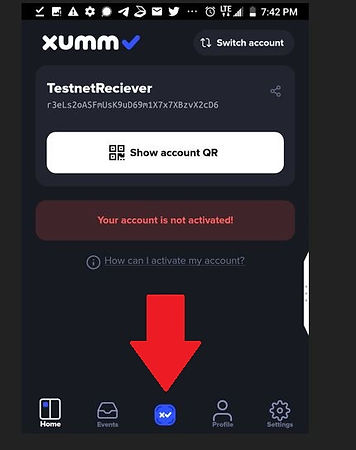
> Click 'Scan QR Code' (or if on the same device and you click the Open in Xumm yellow link, then all Xumm prompts are automatic.)
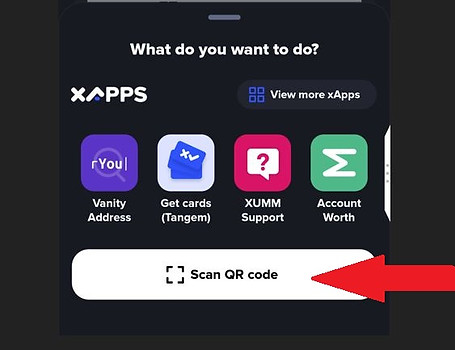
> Scan it. (or if on the same device and you click the Open in Xumm yellow link, then all Xumm prompts are automatic and no scanning.)
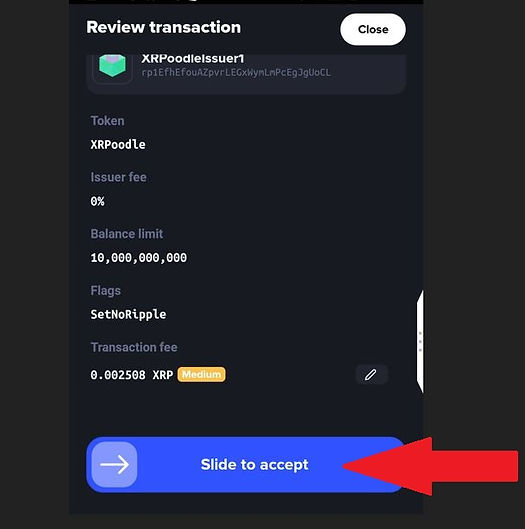
> On Xumm App, in Review Transaction prompt, scroll down and approve the transaction by sliding right to authenticate it. (And do a further authentication if your wallet is setup for it.
3. Connect Xumm Wallet to a decentralized exchange such as www.sologenic.org (or simply the built in DEX app in Xumm wallet), but for these instructions we will instruct using Sologenic.org to access DEX.
4. Under Trading Pair (in Sologenic DEX), Pick Trading Pair > Base > Issuer > Currency Dropdown > Other > and then paste the following code in 'Enter Custom Issuer' Field: rp1EfhEfouAZpvrLEGxWymLmPcEgJgUoCL
5. Hit Search
6. Select the Currency Dropdown and pick XRPoodle > Click 'Confirm'
7: Select Counter and choose XRP to Trade XRP for XRPoodle